> ## Documentation Index
> Fetch the complete documentation index at: https://cometchat-22654f5b-docs-agent-native-development.mintlify.site/llms.txt
> Use this file to discover all available pages before exploring further.
# CometChat UI Kit Builder For Flutter
> CometChat UI Kit Builder for Flutter provides a pre-built interface to integrate a reliable, fully-featured chat experience into new or existing apps.
It provides a set of prebuilt, production-ready messaging components backed by CometChat's real-time infrastructure.
With CometChat UI Kit Builder, you can:
* Configure chat and calling features
* Apply theming and layout options
* Export Flutter-ready code
The exported UI connects to CometChat's SDK and infrastructure, which manages message transport, sync, and backend scaling.
## What You Can Configure
Toggle these features on or off directly in the UI Kit Builder. For a full reference of each setting, see [UI Kit Builder Settings](/chat-builder/flutter/builder-settings).
### Chat Features
| Category | Includes |
| - | - |
| Core Messaging Experience | Typing indicators, threads, media sharing (photos, video, audio, files), edit & delete messages, read receipts, search, quoted replies, mark as unread |
| Deeper User Engagement | Mentions, @all mentions, reactions, message translation, polls, collaborative whiteboard & document, voice notes, emojis, stickers, user & group info |
| AI User Copilot | Conversation starters, conversation summaries, smart replies |
| User Management | Friends-only mode |
| Group Management | Create groups, add members, join/leave, delete groups, view members |
| Moderation | Content moderation, report messages, kick/ban users, promote/demote members |
| Private Messaging Within Groups | Direct messages between group members |
| In-App Sounds | Incoming & outgoing message sounds |
### Call Features
| Category | Includes |
| - | - |
| Voice & Video Calling | 1:1 voice calling, 1:1 video calling, group voice conference, group video conference |
### Layout
| Category | Includes |
| - | - |
| Sidebar | With Sidebar or Without Sidebar mode |
| Tabs | Conversations, Call Logs, Users, Groups |
### Theming
| Category | Includes |
| - | - |
| Theme | System, Light, or Dark mode |
| Colors | Brand color, primary & secondary text colors (light & dark) |
| Typography | Font family, text sizing (default, compact, comfortable) |
***
## How to Use UI Kit Builder
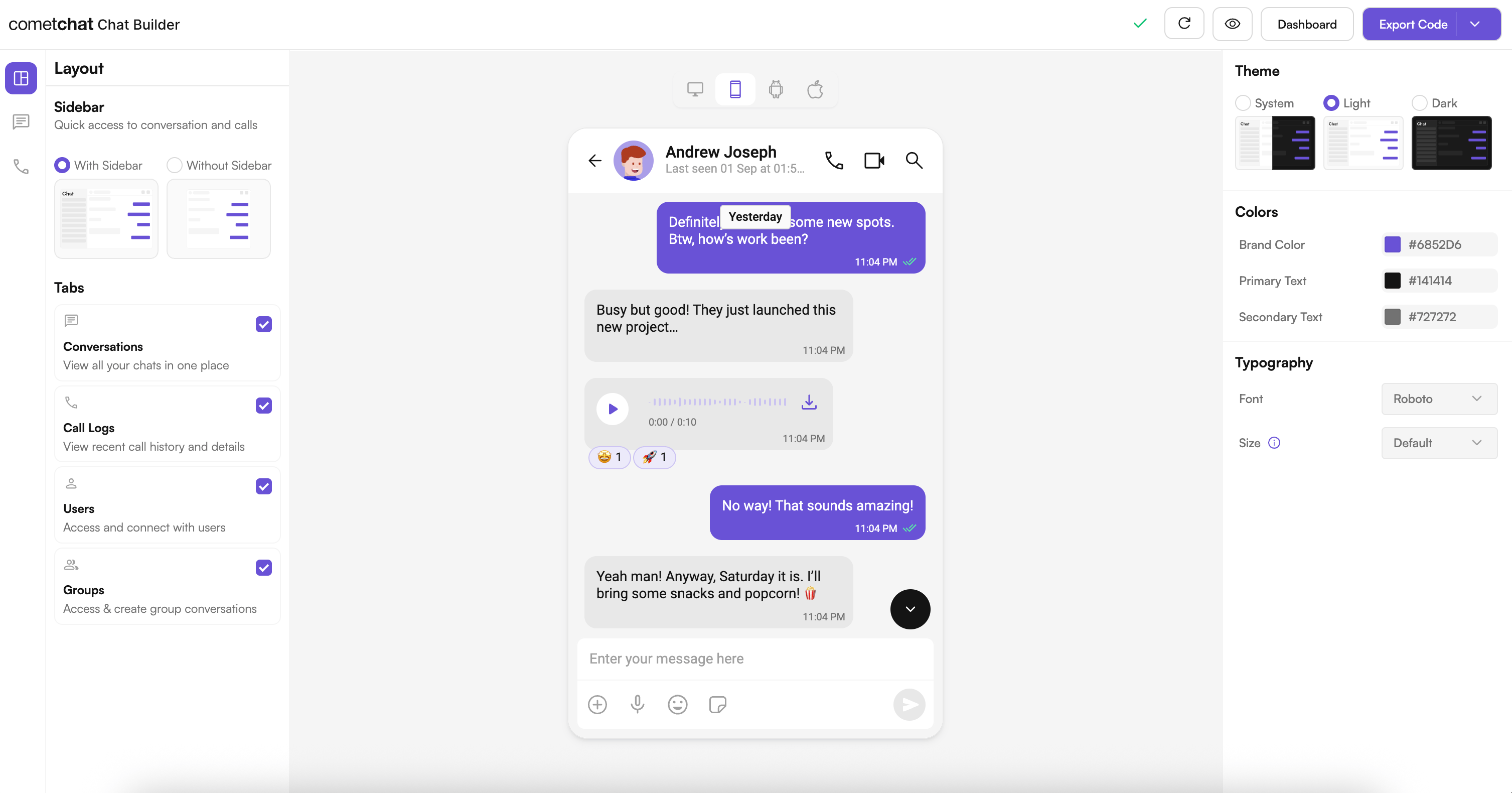
### 1. Design
Configure your chat layout, toggle features, and pick a theme using the UI Kit Builder.
 ### 2. Export
Click **Export Code** to generate a production-ready Flutter module based on your configuration.
### 3. Integrate
Drop the exported module into your Flutter project, add your CometChat credentials, and run the app. See the [Integration Guide](/chat-builder/flutter/integration) for full steps.
***
## Try Live Demo
Experience the CometChat UI Kit Builder in action:
***
## Next Steps
Step-by-step guide to integrate the UI Kit Builder.
Understand the settings file and feature toggles.
Adjust component props, behavior, and UI elements.
See how the exported code is organized.
***
## Helpful Resources
Try the fully featured Flutter sample for reference implementations.
Explore the complete Flutter UI Kit source code.
Configure features, manage users, and launch the UI Kit Builder.
***
## Need Help?
* Developer Community: [https://community.cometchat.com/](https://community.cometchat.com/)
* Support Portal: [https://help.cometchat.com/hc/en-us/requests/new](https://help.cometchat.com/hc/en-us/requests/new)
This documentation is built and hosted on [Mintlify](https://mintlify.com), a developer documentation platform.
### 2. Export
Click **Export Code** to generate a production-ready Flutter module based on your configuration.
### 3. Integrate
Drop the exported module into your Flutter project, add your CometChat credentials, and run the app. See the [Integration Guide](/chat-builder/flutter/integration) for full steps.
***
## Try Live Demo
Experience the CometChat UI Kit Builder in action:
***
## Next Steps
Step-by-step guide to integrate the UI Kit Builder.
Understand the settings file and feature toggles.
Adjust component props, behavior, and UI elements.
See how the exported code is organized.
***
## Helpful Resources
Try the fully featured Flutter sample for reference implementations.
Explore the complete Flutter UI Kit source code.
Configure features, manage users, and launch the UI Kit Builder.
***
## Need Help?
* Developer Community: [https://community.cometchat.com/](https://community.cometchat.com/)
* Support Portal: [https://help.cometchat.com/hc/en-us/requests/new](https://help.cometchat.com/hc/en-us/requests/new)
This documentation is built and hosted on [Mintlify](https://mintlify.com), a developer documentation platform.